
How to Leverage AI Creative Tools
In an age where digital marketing, business operations and technology support are evolving rapidly, apprenticeships that prepare learners to work with generative AI are becoming essential. The Level 3 Generative AI Marketer programme from Just IT is designed exactly for this—ensuring that apprentices become future-ready talent who can design, build and optimise campaigns across channels, harness AI tools for content and insights, stay brand- and GDPR-compliant, and test/refine to boost results.
In this blog we:
- Explore the role of AI in modern workplace roles
- Go deeper into specific generative-AI tools (including Google’s ImageFX) with links and use-cases
- Show how different apprenticeship roles (multi-channel marketing, business admin, IT) can apply these tools day-to-day
- Reflect on how an apprenticeship such as Just IT’s supports this reality
The Role of AI in the Modern Workplace
Traditional marketing (SEO, PPC, paid campaigns) remains important—but today’s digital landscape demands more. Marketers, administrators and IT teams must combine creativity, data-driven insight, automation and personalisation. AI becomes pivotal: it helps scale content, automate routine tasks, analyse data, personalise journeys and optimise in real time.
For apprentices – learning not just what to do but how to use AI-tools, craft prompts, interpret outputs, stay compliant and maintain brand voice – is a major advantage. That’s exactly the focus of the Just IT Level 3 programme: prompt engineering for content/campaign copy; AI-powered customer-journey mapping and personalisation; real-time optimisation and ROI prediction; SEO/social/email/print marketing enhanced by AI.
Top AI Tools Apprentices Should Master
Below are key tools, with deeper detail on how they work, what they offer, and how apprentices can leverage them.
1. Jasper.ai (AI writing & content automation)
Link: Jasper.ai jasper.ai+1
Overview: Jasper is a generative-AI writing platform purpose-built for marketers. It supports content lifecycle automation: ideation, drafting, brand voice alignment, multi-channel copy. PR Newswire+1
Key features:
- Brand IQ & Marketing IQ layers to embed brand tone, guidelines, messaging. PR Newswire
- Templates for blogs, social posts, ad copy, email campaigns. Zapier
- Multi-channel output (blog, social, e-mail) and ability to scale. eWeek
How an apprentice can leverage it: - Use Jasper to generate first drafts of campaign copy, then refine through brand guidelines.
- Test different prompt variations (tone, audience, channel) and measure which output performs better via analytics.
- Develop a workflow: prompt → draft → refine → publish → analyse results.
- In the Just IT apprenticeship, prompt engineering is one of the hands-on skills taught, so this tool aligns directly.
2. HubSpot AI (Breeze & Campaign Assistant)
Link: HubSpot AI tools HubSpot+1
Overview: HubSpot integrates AI into its Marketing Hub, CRM and content creation workflows — supporting tasks such as blog drafting, email generation, social media posts and campaign copy. HubSpot
Key features:
- AI Content Assistant (e.g., Breeze) to draft and rewrite pages, blog posts, CTAs – inside HubSpot. HubSpot Knowledge Base
- Campaign Assistant: Inputs (objective, target audience, tone) → generates landing page copy, emails, ads for multi-platform channels. HubSpot
- AI Social Media Post Generator: generate social captions and repurpose posts by channel. HubSpot
- AI Search Grader (AEO) to analyse how your brand appears in AI-driven search results (versus traditional SEO). HubSpot
How an apprentice can leverage it: - Work on campaign briefs: use Campaign Assistant to generate assets for landing pages, email sequences, ad copy; then align them with brand.
- Use AI Social Generator to test variations of social posts across channels quickly.
- For analytics: use AEO Grader to understand how generative-AI search engines (e.g., chatbots) reference brand and adjust content accordingly.
- In the apprenticeship, this supports the “real-time campaign optimisation and ROI prediction” skillset.
3. Canva Magic Studio
Link: Canva Magic Studio canva.com+1
Overview: While primarily a design tool, Canva’s Magic Studio introduces AI features like text-to-image, video generation, brand voice copywriting and auto-resizing assets — ideal for marketing visuals and multi-channel assets. canva.com
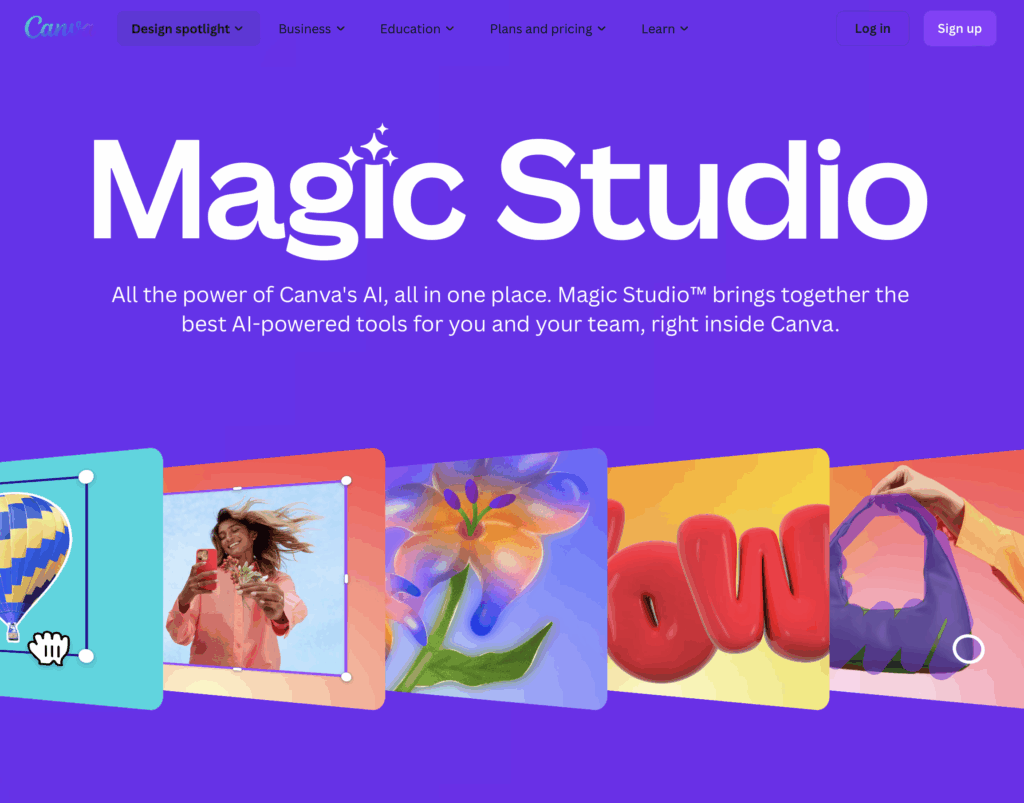
Key features:
- Magic Media: generate images or videos from text prompts. canva.com
- Magic Write: assist with copywriting, summarising, expanding content, in brand voice. canva.com
- Magic Switch: convert one design to many formats/resolutions for different channels. KI Company
How an apprentice can leverage it: - Create campaign visuals quickly: use text-to-image or video generation to prototype ad visuals, social posts, print collateral.
- Ensure brand consistency across channels by using Magic Switch to adapt assets (desktop, mobile, social stories).
- Practice aligning visuals + copy + channel format, a key skill in multi-channel marketing.
- The apprenticeship’s “AI-powered customer journey mapping and personalisation” can tie in with how visuals meet touchpoints.
4. Google ImageFX
Link: ImageFX – Google Labs Google Labs+1
Overview: This is Google’s text-to-image generative AI (in Labs) that allows you to turn prompts into images. Useful for creative visual asset generation, mood-boards, concept visuals. Medium+1
Key features:
- Generate multiple image options from a single prompt. Content Beta
- Fine-tune style, scene, prompt iterations to test visual ideas. Medium
How an apprentice can leverage it: - Rapidly prototype visuals for campaigns: e.g., “Professional business admin apprentice working on transformation” → get images, then refine for social or print.
- Use generated visuals in social posts, email headers, digital brochures — then track engagement differences between AI-generated vs custom images.
- In the context of the apprenticeship, this supports visual and creative assets for campaigns and print marketing (one of the programme areas).
5. GrammarlyGO
Link: Grammarly AI for Marketing Grammarly+1
Overview: Grammarly’s generative-AI writing assistant that goes beyond grammar to help with tone, brand voice, rewriting, ideation, multi-channel copy. Grammarly
Key features:
- Ideate: generate ideas from scratch. Zapier
- Rewrite: convert copy into different tones/channels.
- Personalise: adapt for brand voice, audience.
How an apprentice can leverage it: - Use GrammarlyGO to refine copy generated by other tools (Jasper, HubSpot) ensuring brand voice, channel-appropriate tone.
- Create variant copies for different channels (email, LinkedIn, Instagram) from a single base.
- This helps meet the apprenticeship requirement of multi-channel marketing (email/social/print) enhanced by AI.
How AI Tools Map to Specific Apprenticeship Roles
Apprenticeships often place learners in different roles depending on organisational structure. Let’s explore how the tools above can benefit three specific apprentice roles: Multi-channel Marketing Apprentice, Business Admin Apprentice, IT Apprentice.
Role: Multi-channel Marketing Apprentice
Typical responsibilities: Supporting campaigns across social, email, print; generating content; analysing engagement; optimising campaigns; working across digital and traditional platforms.
How tools help:
- Use Jasper for campaign copy (blogs, email, ad copy).
- Use HubSpot Campaign Assistant to generate multi-platform assets (landing pages, email sequences, ad copy).
- Use Canva Magic Studio + Google ImageFX for visuals and videos that suit each channel (social, print, email).
- Use GrammarlyGO to refine tone and adapt message per channel.
- Use HubSpot analytics/AI tools (AEO Grader, Smart CRM) to track engagement, optimise and personalise journeys.
- The Just IT apprenticeship emphasises designing, building and optimising campaigns across multiple platforms, harnessing AI tools for content and analytics — this aligns directly.
Role: Business Admin Apprentice
Typical responsibilities: Supporting operations, scheduling, document generation, communications, basic marketing support, database management, process optimisation.
How tools help:
- Use GrammarlyGO to draft & refine business communications (emails to stakeholders, internal updates, campaign briefs).
- Use HubSpot AI (or similar CRM tools) to automate repetitive admin tasks like contact segmentation, email scheduling, report generation.
- Use Canva Magic Studio for creating internal communications visuals, presentations, infographics, without relying on dedicated design teams.
- Use Google ImageFX for quick visuals in presentations, newsletters, internal campaigns.
- Use Jasper for drafting documents, meeting summaries, report copy.
- The apprenticeship’s broader emphasis on “AI-powered customer-journey mapping and personalisation” can translate into process-journeys (customer support, internal workflows) where admin apprentices can apply AI tools to streamline operations.
Role: IT Apprentice
Typical responsibilities: Supporting technical infrastructure, data management, system automation, ensuring tools integrate with each other, supporting digital marketing platforms, ensuring compliance (GDPR), data security.
How tools help:
- Use HubSpot Smart CRM/AI to integrate marketing and operations data – helping IT apprentices understand how marketing data flows and how systems tie together. HubSpot+1
- Use AI tools like Jasper and Canva but from an integration viewpoint – setting up workflows, ensuring APIs/connectors, managing user permissions, ensuring brand and data compliance.
- Use Google ImageFX & Canva Magic Studio but oversee how image assets are stored, version controlled, and distributed across channels.
- Ensure the AI-tools are GDPR-compliant and align with brand/enterprise security policies – the apprenticeship highlights staying compliant with GDPR and brand standards.
- IT apprentices can also help build dashboards or workflows that draw on AI tool outputs (campaign performance) and feed them into broader systems or reporting platforms.
Why Hiring a Generative AI Marketer Apprentice is a Smart Move
By hiring an apprentice trained in generative-AI tools via Just IT’s Level 3 programme, your business gains:
- Access to talent who can design, build & optimise campaigns across digital/traditional platforms.
- Proficiency in using cutting-edge AI tools for content creation, analytics, automation — while maintaining compliance and brand integrity.
- The flexibility: apprentices can fill roles reporting to the digital marketing manager, marketing manager or IT lead depending on structure.
- Immediate business impact: monthly workshops, coaching and structured online resources mean the apprentice starts applying learning to real workplace projects quickly.
- Future-proofing your team: the digital landscape is changing fast — this apprenticeship is built for that change.
Final Thoughts
The digital marketing and business-operations world is no longer just about keywords and budgets — it’s about combining creativity with data-driven AI-powered insights and automation. For apprentices, mastering AI tools gives a major advantage. For employers, supporting an apprenticeship like Just IT’s Generative AI Marketer programme means building a future-ready workforce.
From prompt engineering, campaign optimisation, multi-channel content, personalisation, analytics and automation — the tools above (Jasper.ai, HubSpot AI, Canva Magic Studio, Google ImageFX, GrammarlyGO) are practical, impactful and ready to use. Pair them with real-world learning and projects via the apprenticeship, and you’re setting up both learner and business for success.
Stay Connected with Us!
Follow us on social media to stay updated with the latest trends, tips, and insights in multi-channel marketing.
Join our community and never miss an update!